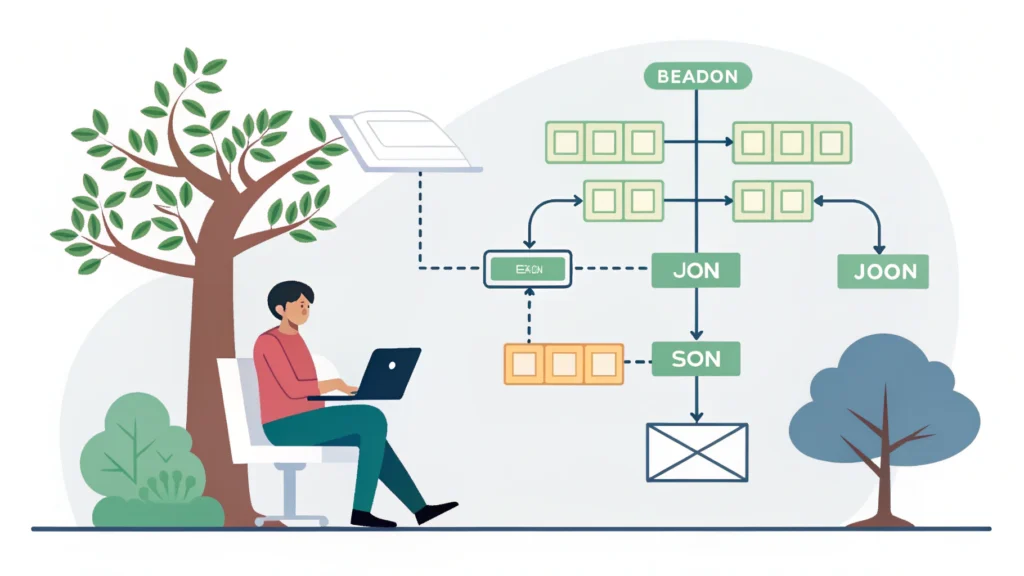
Introduction to Web App Development
Web app development is a dynamic and evolving field that involves creating interactive applications that run on web browsers. Unlike traditional desktop applications, web apps are accessible through the internet, making them a popular choice for businesses and developers alike. In this guide, we will walk you through the essential steps to develop a web app, including the necessary tools and technologies you need to get started.
Step 1: Define Your Web App Idea
The first step in web app development is to clearly define what your web app will accomplish. Consider the following questions:
- What problem does your app solve?
- Who is your target audience?
- What features will you include?
Creating a detailed plan will guide your development process and help you stay focused.
Step 2: Choose the Right Technology Stack
Your technology stack is crucial to the success of your web app. Common stacks include:
- MEAN Stack: MongoDB, Express.js, Angular, Node.js
- MERN Stack: MongoDB, Express.js, React, Node.js
- LAMP Stack: Linux, Apache, MySQL, PHP
Choose a stack that aligns with your project requirements and your team’s expertise.
Step 3: Set Up Your Development Environment
Setting up your development environment is vital for a smooth development process. Here are some tools you might need:
- Code Editor: Use editors like Visual Studio Code or Sublime Text.
- Version Control: Git is essential for tracking changes and collaborating with other developers.
- Web Browser: Google Chrome or Firefox for testing your app.
- Button Generator for easily creating buttons for your web app.
Step 4: Start Coding Your Web App
Now that your environment is set up, you can start coding. Here’s a simple example of how to create a basic web app using HTML, CSS, and JavaScript:
<!DOCTYPE html>
<html lang="en">
<head>
    <meta charset="UTF-8">
    <meta name="viewport" content="width=device-width, initial-scale=1.0">
    <title>My First Web App</title>
    <link rel="stylesheet" href="styles.css">
</head>
<body>
    <h1>Welcome to My Web App</h1>
    <button id="myButton">Click Me!</button>
    <script src="script.js"></script>
</body>
</html>
Adding CSS Styles
Next, you can add some basic CSS to enhance your app’s appearance.
body {
    font-family: Arial, sans-serif;
    background-color: #f4f4f4;
}

h1 {
    color: #333;
}

button {
    padding: 10px 20px;
    border: none;
    background-color: #007BFF;
    color: white;
    cursor: pointer;
}
JavaScript Functionality
Finally, add some interactivity with JavaScript. Here’s a simple script to show an alert when the button is clicked:
document.getElementById("myButton").onclick = function() {
    alert("Button clicked!");
};
Step 5: Testing Your Web App
Testing is a crucial step in web app development. Ensure that all functionalities work as expected across different browsers and devices. You can use tools like Responsive Simulator to test your app’s responsiveness.
Step 6: Deploying Your Web App
Once your app is tested and ready, it’s time to deploy it. You can use various hosting services like:
- Heroku
- Netlify
- AWS
Make sure to optimize your app for performance using tools like CSS Minifier, JS Minifier, and HTML Minifier.
FAQs About Web App Development
What languages are used in web app development?
The most common languages for web app development include HTML, CSS, and JavaScript. Additionally, server-side languages like PHP, Python, and Ruby are often used.
What are the best frameworks for web app development?
Some popular frameworks include Angular, React, and Vue.js for front-end development, and Node.js, Ruby on Rails, and Django for back-end development.
How can I improve the performance of my web app?
Optimize images, minify CSS and JavaScript files, and use caching strategies to improve your web app’s performance.
Conclusion
Web app development is an exciting field that offers endless possibilities for creativity and innovation. By following these steps and utilizing the right tools, you can create a robust and user-friendly web application. For more tools to assist you in your development process, check out WebToolsLab.